This website

November 2025.

I wanted a website that acts like Python's Jupyter notebooks, but with room for CAD from the design process and for the AI logs I have been keeping next to that work. Rendering is split into a few cell types:

  • Text from markdown: my notes, and AI "thinking" logs
  • Syntax-highlighted programs and outputs, produced once in a static backend pass at build
  • CAD exported to GLB, rendered in 3D so a part can be turned and inspected
  • Charts and images. Nothing special for those.

I got on a kick to make the first paint as fast as a first TCP flight: about 15 KB. Text and HTML go in that first window. CAD and images wait for a later round trip if they do not fit.

This is a Go server and a stack of cells. I built each cell as its own page first so I could add content and change order without rebuilding the whole note. A finished page is that list of cells in a layout document.

I was in the library, picked up a textbook on fluid process to check over, and got caught by the font and the hand-drawn diagrams. Courier Prime is the closest I could get: a lab report from the 1950s through the 1970s. I tried a denser layout that tucked text against the nearest CAD or chart. Tying relavance to the nearest figure was more complicated than it was worth, and it was less readable than a stacked page.
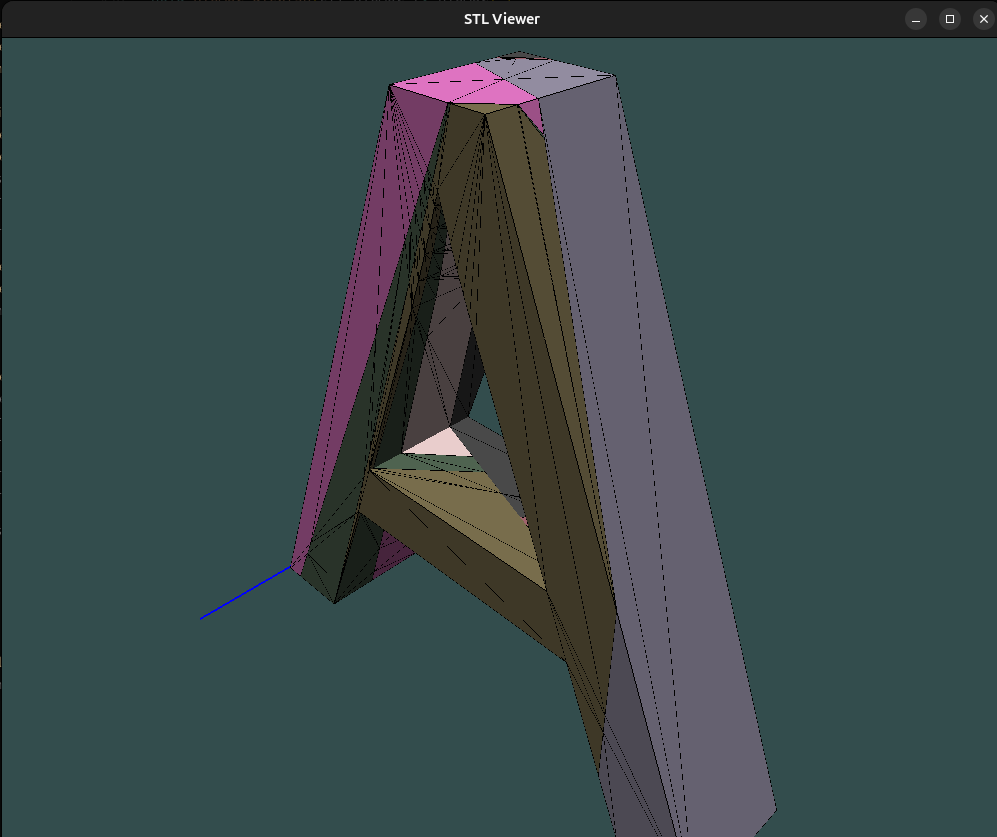

The first response

The executable converts pages to HTML before it listens. On startup it checks for updates and runs that conversion for every file. A visit never waits on a parse. The article goes straight into the response.

While I was cutting the size I wrote the budget down as 14–15 KB for that first content load. That is small enough to come back in the first round trip. On a slow link the words are on the screen before a picture or a model has started.

The pass on November 18 was for exactly that case. Keep the text. Stop everything else from riding in the same response.

Two things were blowing the size up.

Highlighted code. A colored listing is a pile of spans. The highlighter still runs, and the colored HTML is saved on disk, but the page handler lifts each code block out and leaves a one-line placeholder. The listing comes back on its own request. The block under the next heading is that happening.

The other is AI output marked Internal Thought. The sentence around it stays in the first response. The aside does not: it loads after the rest of the page, or when the thinking section is opened.

Code

The converter that runs is cmd/md-to-html. Goldmark turns the markdown into HTML. Chroma colors the fenced blocks. The palette from that highlighter is the same that is used for CAD and some vector image outputs.

This listing is the example. It shows up as "Loading code snippet…" and is then replaced by the highlighted HTML.

Loading code snippet...

The writing

Headings, lists, emphasis, and links stay in that first HTML, no waiting on script to load.

Example: LLM Query and Response

User Input: What is the purpose of the markdown rendering function in this project?

Internal Thought

Loading internal reasoning...

Response: The mdToHTML function converts markdown content into HTML for web display. It uses the gomarkdown library with common extensions enabled (like automatic heading IDs) and renders links to open in new tabs. This supports the project's goal of rendering markdown files as content cells on the nuex.tech website.

An internal link is a path on this site. An external link leaves.

Internal Link: 3d printed discs

External Link: 3dpdiscs.com

Pictures, after the text

Images are the next phase. In the first response the image tag has no address yet. A small script fills it in once the document is up, so the words are already readable while the files arrive.

Below is a photograph, unchanged.

Image

The same picture, drawn

A photo has to sit next to a chart and a part and look like the same document. The stylizer traces the photo into vectors, then maps each shape to the nearest color in the syntax palette. Hard edges, flat color, hatching in the same spirit as the models. This isn't used that often because I found the process of rendering these a bit much to add in the single conversion/rendering of the server. Below is that photograph after the pass.

Image

Video

Video is last. A .yt file holds the link. The first response is a box that says the video is loading. The player is requested after the images and the model, so an embed is not in the way of the text. Embeds were having a strange render first or never render issue that I spend a week debugging so that it would render in the right order and not hang up the other important responses

Loading video…

The model

The 3D cell is its own renderer. The file is a .glb. Three.js and the model wait until the images have started. The first response is an empty frame and a short list of which file to load. This way it fills out the shape of the website without loading heavy CAD files.

The shader is there so a part reads as a figure in the note.

  • The color is the one stored on the model.
  • A thick outline sits just outside the shell.
  • An edge is drawn where two faces meet at a sharp angle. Shallow edges stay off, so the drawing shows the part and not every triangle. The note from the start of the project used 90° between the face normals as that cutoff.
  • The hatch follows the surface. Faces that point up go light. Faces that point down go dark. The lines are spaced from (u + v), and the spacing tightens as the normal tips away from horizontal.

I still want to adjust the coloring and rendering style to better match my vision but for now it is functional and works well.

Drag it. That is the cell.